For this project, I tried to recreate the feel of Ghost of Tsushima’s procedural grass in Godot, following their 2021 Advanced Graphics Summit talk, Procedural Grass in ‘Ghost of Tsushima’. This was my final project for MIT’s 6.4400 Computer Graphics course.
Here’s a twenty-one second demo of an open field at a density of 0.4 (more on what that means later). For this scene, I used a terrain heightmap generated from simplex noise.
Introduction
The 2021 Advanced Graphics Summit talk Procedural Grass in ‘Ghost of Tsushima’ presents an efficient and beautiful implementation of procedural grass that supports the game’s artistic vision while running within the PS4’s performance budget.
My goal was to preserve the feel and appearance of the game’s procedural grass without the more sophisticated artist authored assets and wind system. Instead, I use a scrolling Perlin noise texture for wind strength and orientation samples, a cellular noise texture to simulate clumping of nearby blade meshes, rounding of normals in the vertex shader, and albedo interpolation based on the height of the fragment with respect to the blade mesh. To tie it all together, a custom lighting pass simulates ambient bounces and occlusion, as well as blending of blade colors in the distance.
The approach comes down to three main tricks:
- Use GPU Instancing to draw chunks of grass blades together, avoiding millions of separate draw calls.
- Use moving noise patterns for wind and clusters of similar values to simulate grass clumping.
- Use color and lighting to make flat blade meshes look rounded and give the field depth with ambient occlusion.
The game world is tiled, with each tile containing an instance of multiple grass blade meshes via GPU instancing, using a single draw call to instantiate all instances of the blade mesh within the tile. Every blade of grass bends with respect to an artist authored bezier curve and has a unique random offset to its position, orientation, scale, and bend. Then, the wind strength and direction at the blade’s position is sampled from the game’s wind system to modify the blade’s bend and orientation. They also implemented a “clumping” system where nearby grass blades belonging to the same “clump” obtain similar random properties for all of the above parameters. Each grass blade “type” is artist authored and includes separate vein and stem albedo, gloss, and normal textures which round the edges of the grass blade to give it a more realistic appearance. For performance, the blade meshes are assigned one of two LOD models and are view frustum culled. I built this in Godot 4.5, using its graphics pipeline and FastNoiseLite library. The setup is pretty simple: a light source and camera attached to the root node, a script, and a material asset for the grass shader.How Ghost of Tsushima's system works
Godot setup
Drawing Millions of Blades
The world map is divided into tiles of a specified tile size. Using a density parameter , we can prepare evenly spaced grass blade meshes in a grid formation, where . Here, is the side length of a square tile and is the number of blades along each side. This gives us an easy way to modify how many grass blades we want in each tile by shifting . Each tile is instantiated using Godot’s MultiMesh class, which draws all its grass blade meshes together. This matters a lot for performance, as we’d otherwise need a separate draw call for each of the millions of grass blades.
A mesh is the shape of a 3D object, built from points (vertices) connected into triangles. Here, it’s a single blade of grass. A draw call is a command telling the graphics processor to draw something. GPU instancing uses one single draw call to draw the same shape many times with different positions, sizes, and rotations. One simple blade is repeated across the field. On the right, the UV map tells the shader where a point sits on the blade.What are meshes, GPU instancing, and draw calls?
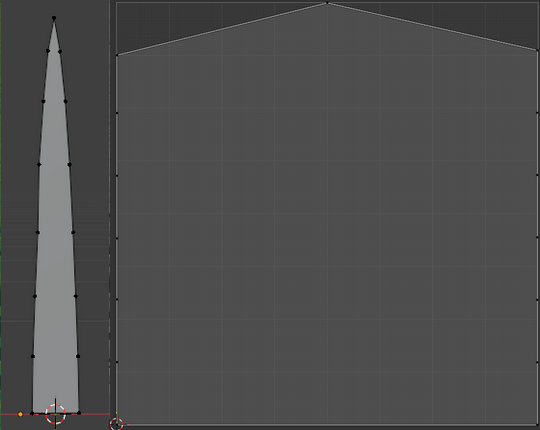
The simple UV map lets us use the coordinates as the relative width and height of the grass blade in the shaders later on.
Making the Grass Move and Clump
Using a perlin noise texture and a wind speed, we can create the illusion of unique grass blades which appear to flow and bend with the wind. We can use another noise texture to simulate grass clumping, a natural phenomenon where nearby blades of grass will exhibit similar properties. Without it, we’d get grass of random heights all over the place which looks unnatural. I implement both of these things using a vertex and a fragment shader.
What are vertex and fragment shaders?
A shader is a small program that runs on the graphics processor. A vertex shader moves the points that make up each blade, so it handles bending and rotation. A fragment shader decides what color the blade’s surface should be at each visible point.
What is a noise texture?
A noise texture is a texture with randomized values. Each kind of noise texture has useful properties which vary depending on the generation technique. Making every pixel a random (0, 1] value is often referred to as static or white noise, for example.
Bending in the Wind
To emulate wind we can “scroll” a wind texture across the field of grass. We effectively map the texture to the entire grid by always sampling relative to each blade’s position in the shader. To achieve scrolling, we add a time offset to the sampling position. This essentially sweeps the same wind strength values across a direction, achieving the illusion of a continuous gust of wind.
I use Perlin noise for the scrolling wind texture because its values change smoothly: nearby values are similar. This means neighboring blades get similar wind strength and direction, so the grass moves together instead of each blade jittering as we scroll the wind texture. Feel free to experiment with other kinds of noise. I generated the texture with Godot’s FastNoiseLite library. I enabled domain warping for a more interesting wind pattern and made the texture seamless to avoid strange patterns when scrolling across the edges.
I sample the Perlin noise texture at the same position for the wind’s target orientation and rotation strength, then at another position for bending. The bending sample scrolls faster and uses a height-based time offset, so points farther along the blade sample a bit ahead in time, emulating turbulence.
Move the slider: nearby blades sample similar values and bend together.
This simulation was generated from the project source code using AI.
Technical details: wind, rotation, and bending
I implement all of this in the vertex shader.
I sample the Perlin noise texture (or “wind texture”) at coordinates , using elapsed time in seconds, wind speed (default 1.0), and the blade’s ground-plane position (world-space x and z). The constant scales the sampling coordinates:
I multiply the sampled value by to get the wind angle . Increasing makes the wind texture scroll faster. I used for . I compute the blade’s initial rotation angle using its repeatable position-based hash and the sampled clump value , both in . Here, is a full turn in radians:
I also sample a wind strength from the wind texture at and multiply it by a factor of . I blend these into the final rotation angle , using :
This angle is used to generate a rotation matrix about the y-axis .
I use the relative height of the vertex , from 0 at the base to 1 at the tip, to compute an initial bend angle . The variation value combines the blade hash and clump value with clumping weight :
I then sample the wind texture at a second set of coordinates . Here, offsets the time farther along the blade. The temporal sampling factor is 0.05, while the spatial factor remains :
I call the value sampled here . I remap it from to and square it, then multiply by wind speed and a bend variation factor . That factor blends a fixed value with the blade’s hash using the clump value:
The remapped strength produces the final bend angle :
This matches the shader’s mix(0, PI, wind_strength_bend), since blending from zero to is just multiplication by . The angle generates a rotation matrix about the x-axis, . The height-dependent offset puts the blade tips ahead in the wind texture; the additional wind bend itself has no extra multiplier.
Finally, I apply both rotation matrices to the vertex position and the normal:
to properly rotate and bend the blade mesh.
Unless otherwise mentioned, I picked the constants by experimenting and seeing what looked good.
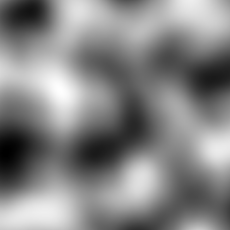
Scrolling this pattern makes neighboring blades move together. Settings are in wind_noise.tres.
Giving Each Blade Some Variation
Individual blades are different from each other, but remain similar to nearby blades. I combine a value unique to each blade with a value from the clump texture, then use the result for width and height variation. By using a mix of the unique and clump values, we get groups of blades with similar heights and orientations (clump factor) that are still slightly different from each other.
I use cellular noise for the grass clump texture. Nearby values cluster together, with visible boundaries between groups of similar values. I generated this texture with FastNoiseLite too, using the default settings.
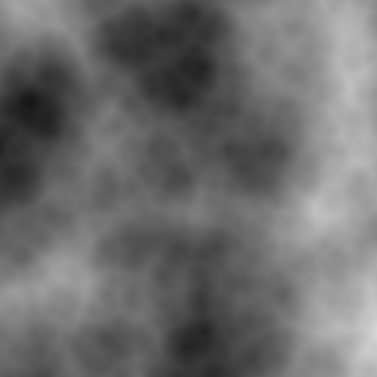
Clusters of similar gray values give neighboring blades similar sizes and shapes, creating clumps.
At zero, both tiles match. Increase the weight to give neighboring blades similar sizes; their positions stay fixed.
This simulation was generated from the project source code using AI.
Technical details: blade appearance variation
I use the blade’s world position to generate a hash value in and sample the cellular noise texture (or “clump texture”) to get a value in . I combine these into a variation parameter , using the clumping weight (set to 0.8). At , each blade uses only its own random value; at , it uses only the clump texture:
that I use to scale the blade mesh’s vertex. I scale the vertex’s local horizontal coordinate and vertical coordinate with the following expressions. The function blends between two values:
for width and height variation.
Making Flat Blades Look Rounded
The grass blades are simple, flat meshes. We can artificially round them without adding extra geometry by adjusting the angle of normals close to the edge of the blade. By pointing these further outwards we get the illusion of curvature on the flat mesh.
Both tiles use identical blades and lighting. Only the normals change. This simulation was generated from the project source code using AI. The normal vector at a point on a mesh is the vector perpendicular to the surface. Lighting uses it to work out how the surface faces the light. By varying that direction across a flat blade, we can make the lighting behave as if the blade were curved. In the vertex shader I compute leftward and rightward facing normals by rotating the normal about the y-axis by and , respectively. The curvature parameter corresponds to What is a normal?
Technical details: rounded normals
normal_curve_factor in the shader, with a default of 0.3 and a range of 0 to 0.5; multiplying by gives an angle in radians. I pass these to the fragment shader and interpolate between them using the fragment’s horizontal coordinate , which runs across the blade. This makes the flat blades look rounded.
Coloring the Grass
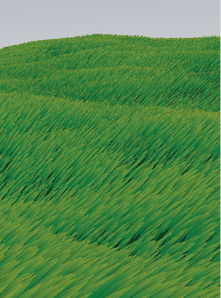
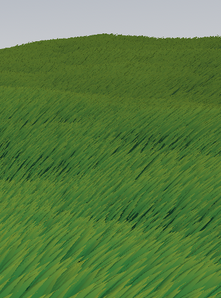
I interpolate between a base color and a tip color to color every blade of grass. I also color distant fragments closer to the average color to simulate blending at far distances.
Each blade transitions from its base color to its tip color. Without distance blending With distance blending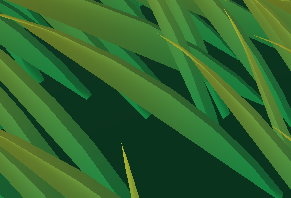
Technical details: fragment shader and color blending
The fragment shader uses the specified base color and tip color to color every blade of grass. I also color distant fragments closer to the average color to simulate blending at far distances.
I set the albedo using relative height , from base (0) to tip (1). The function blends between colors:
Here, is the fragment position in view space, so is its distance from the camera. The constant 0.04 controls how quickly the distant color takes over, and is the base of the natural exponential. The divisor 4 is the shader’s chosen distant-color factor, rather than a literal average of the two colors.
Giving the Field Depth
To tie it all together, a custom lighting pass simulates ambient bounces and occlusion. I darken the base of the grass based on the field’s density, which gives the field more depth.
Both tiles use identical blades and lighting. Only the base darkening changes. This simulation was generated from the project source code using AI. Ambient occlusion approximates how nearby surfaces block light from reaching each other. The bases of densely packed grass get less light than the exposed tips. Here, I approximate that with the grass density and the height along the blade in the lighting function ( I emulate ambient occlusion using grass density and relative height , from base to tip. The occlusion factor darkens the base more as density increases. Using , I set it as I then set the diffuse lighting color to Here, is Godot’s light attenuation (What is ambient occlusion?
light()).Technical details: lighting pass
ATTENUATION), is the light color (LIGHT_COLOR), is the surface normal (NORMAL), and is the direction toward the light (LIGHT). The dot product measures how directly the surface faces the light. This gives a result I’m happy with.
Results
A live miniature of the combined approach. Adjust wind speed or pause to inspect the blades.
This simulation was generated from the project source code using AI.
The full Godot implementation shown in the video runs at 60-230 FPS on my test computer, depending on the density. This measurement is for the Godot scene, rather than the simplified browser demo. Individual blades are different from each other but remain similar to nearby blades, and the scrolling Perlin noise texture does a pretty good job of emulating wind.
The finished field at a density of 0.4, using a terrain heightmap for the demonstration.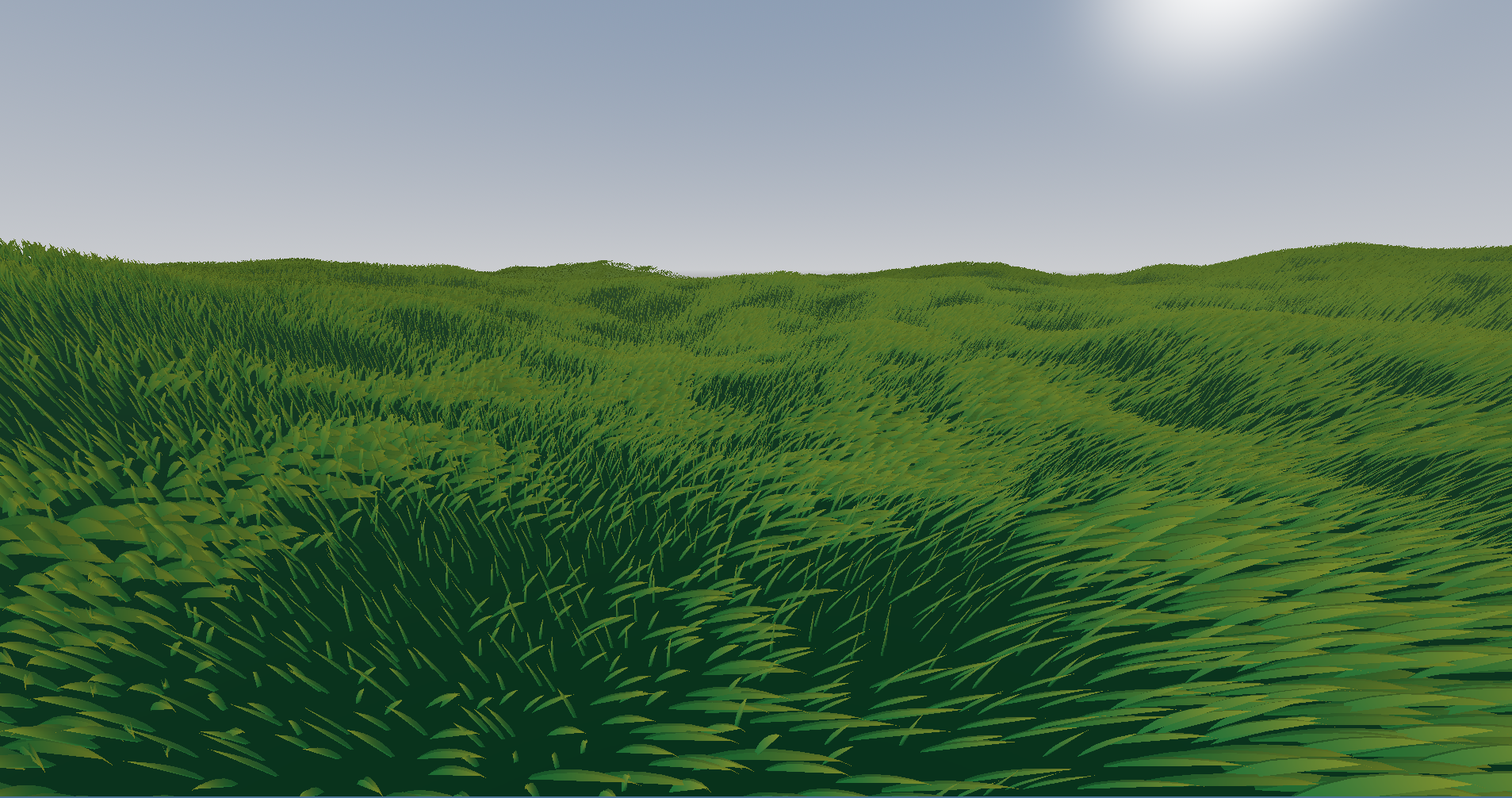
Conclusion
I’m happy with how closely this captures the feel of Ghost of Tsushima’s grass. There’s still more I’d like to try, including the game’s specular lighting and shadows, and its bezier curve approach to bending individual blades.
You might notice that blades being viewed from their side look thin and not that great. The original Tsushima implementation rotates blades close to the camera to hide this problem. I’d like to work on this next if I do put it in a game.
For that, I’d also need to add performance optimizations like view frustum culling and LOD switching (this person implemented it).
What are view frustum culling and LOD switching?
View frustum culling skips objects outside the camera’s view. LOD (level of detail) switching uses simpler versions of objects farther away, where the extra detail is harder to see.
Source Code and References
- Procedural Grass in ‘Ghost of Tsushima’
- Texture Generation using Random Noise
- Similar implementation of this emulation
- How do Major Video Games Render Grass?
- Modern Foliage Rendering
Acknowledgment
A lot of the implementation details came from 2Retr0’s approach to the same idea. This is mostly a simplified version with reduced scope. Their version is also much better looking.
I’d like to thank the maintainers and contributors of the Godot game engine for providing an excellent platform on which to experiment with computer graphics.
I’d also like to thank the maintainers and contributors of the Blender 3D software for providing an excellent platform on which to create models and specify UV mappings.